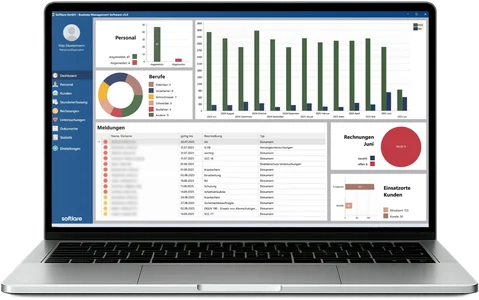
In SBM, every assignment starts with the order: client, terms and employees. From this, the temporary agency work contract (AÜV), specification (Konkretisierung) and assignment instructions (Einsatzanweisung) are created with one click, and the dashboard reports deadlines such as the end of the maximum assignment period. Legal responsibility remains with the temporary work agency (Verleiher); SBM makes sure nothing is overlooked.
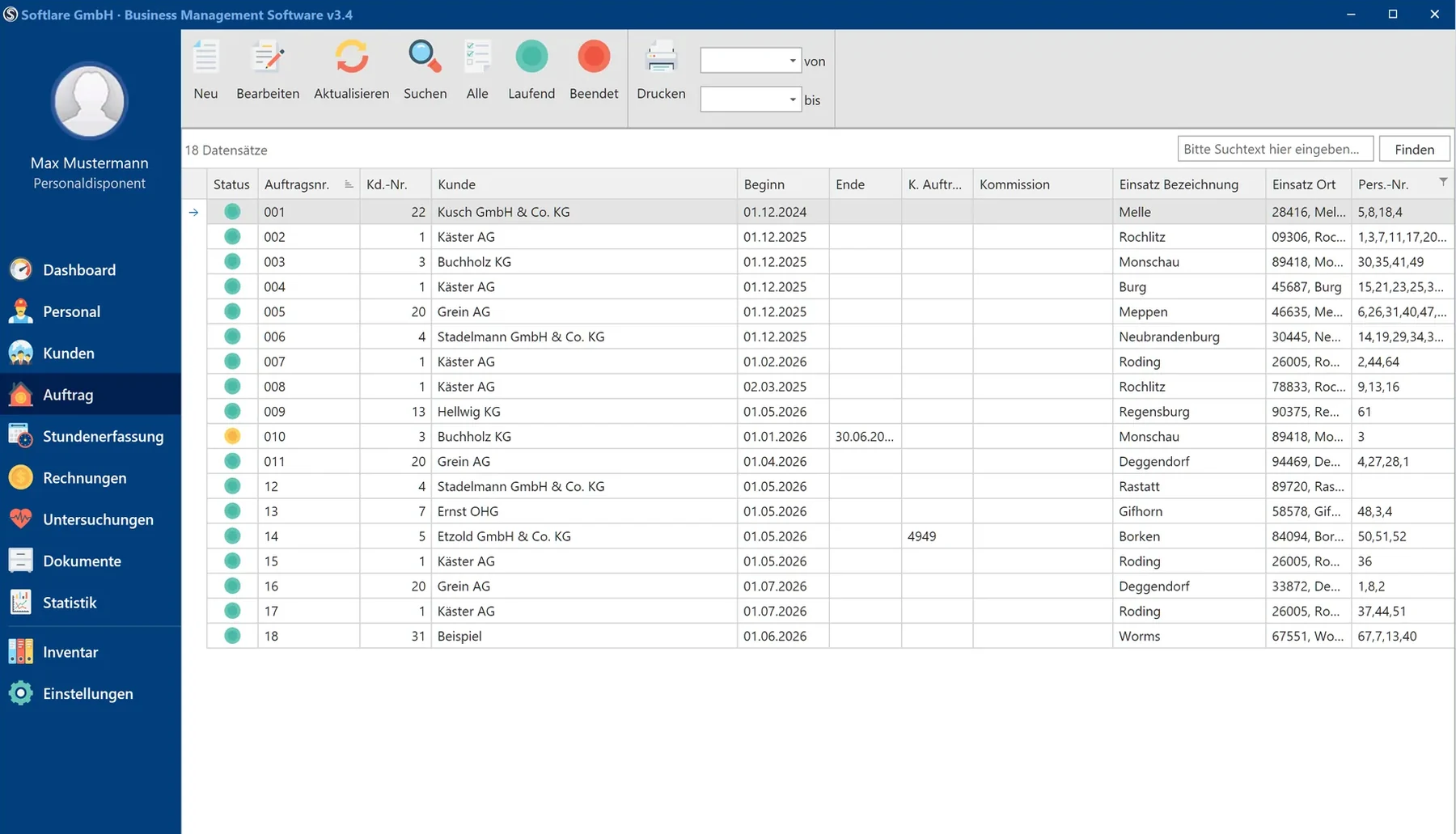

Every assignment comes with a collective agreement, an Equal Pay type, pay, a charge rate, documents and deadlines. In SBM, all of this is linked to the order.
Industry collective agreement, Equal Pay type and assignment type (AÜG or contract for work – Werkvertrag), plus pay, allowances and charge rate per assignment.
All assignments per client and work site as a list or Kanban board, with a column for available employees. You publish shifts in the employee app.
Individual AÜV, assignment instructions, risk assessment (Gefährdungsbeurteilung), information sheet and specification are created fully filled in – from your own Word templates.
On start-up, SBM shows the end of the maximum assignment period (Höchstüberlassungsdauer), expiring contracts, residence permits, ID documents and certificates.
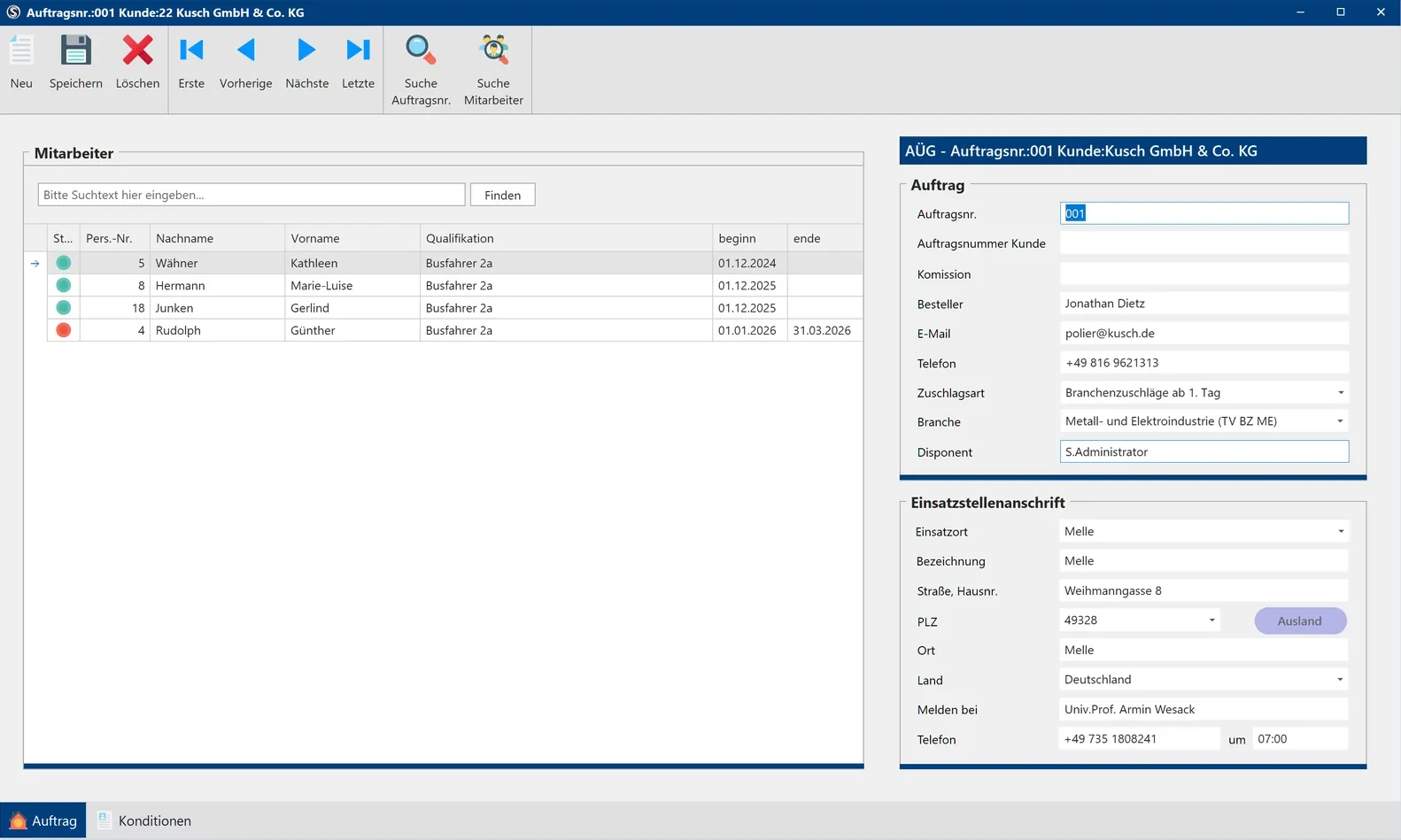
What you store in the order, SBM uses in every subsequent step. Nothing is typed twice.
For each client, you store the framework agreement date, maximum assignment period, industry and supplement type.
Assign available employees with the right qualifications – with start and end dates per person.
Specification, assignment instructions and risk assessment are created from the same data. The assignment instructions can be signed digitally in the app.
SBM files every printed document as a PDF in the digital personnel file.
Employees clock in at the terminal or in the app; payroll preparation and the invoice are created from the same data.
When you switch to SBM, your existing Word templates can be carried over.
| Topic | Without industry software | With SBM |
|---|---|---|
| Assignment overview | Lists and phoning around | Scheduling board with available employees |
| Temporary agency work contract | Written in Word for each assignment | With one click from the order |
| Maximum assignment period | Dates in the calendar or in your head | Stored per client, alert in the dashboard |
| Shift plan | Excel file sent via messenger | Published in the employee app |
| Filing | Folders and email inboxes | PDF archive in the digital personnel file |
The contract must expressly designate the assignment as temporary agency work (Arbeitnehmerüberlassung), and the temporary agency worker (Leiharbeitnehmer) must be specified before the assignment (§ 1 Abs. 1 AÜG). In principle, a temporary work agency may assign the same temporary agency worker to the same user undertaking (Entleiher) for no more than 18 consecutive months (§ 1 Abs. 1b AÜG); a collective agreement in the industry of assignment may deviate from this.
Note: General overview, not legal advice. Responsibility for compliance with the AÜG lies with the temporary work agency.
Your question is not listed? Call us or arrange a presentation.
+49 (0) 6241 678 789-0Yes. SBM creates the documents from each order: temporary agency work contract (Arbeitnehmerüberlassungsvertrag), specification with maximum assignment period, assignment instructions, risk assessment and information sheet. You store the maximum assignment period per client, and the dashboard reports upcoming deadlines.
Software alone does not make a company AÜG-compliant – legal responsibility remains with the temporary work agency. SBM maps the mandatory documents and deadlines of the AÜG and makes sure they are not overlooked.
Through orders and the scheduling board (Dispotafel). The scheduling board shows all assignments per client and work site as a list or Kanban board, with a separate column for available employees. You plan shifts in the shift roster (Dienstplan) and publish them to your employees in the app.
Yes. All forms are Word templates in the database and can be adapted per client. Your existing Word templates can be carried over when you switch to SBM.
Yes. For each order, you set the assignment type – temporary agency work or contract for work. The dashboard shows the monthly hours separately for AÜG and contracts for work.
In a free online presentation (approx. 45 minutes), we show you the order, scheduling board, temporary agency work contract and deadlines based on your own workflows.


 Deutsch
 English
 Magyar
 Polski
 Română
 Türkçe
 Українська
 Български